Short answer
Choose WinDirStat if you want everything free, including at work: it is GPL-2.0 open source with a treemap, a Largest Files list, duplicate detection and cleanup tools. TreeSize Free, from JAM Software, is free only for private, non-commercial use, and its duplicate search and largest-file filter are in the paid Personal and Professional editions. TreeSize Free adds PDF reports, which WinDirStat does not make.
How do I decide between WinDirStat and TreeSize?
- Check where you will use it. At work or on a company PC, TreeSize Free's license does not cover you; WinDirStat's GPL-2.0 license does.
- List the jobs you need. Duplicate files and a top-largest-files list are free in WinDirStat and paid in TreeSize.
- Decide on reports. If you must hand someone a PDF report, TreeSize Free makes one; WinDirStat saves CSV or JSON instead.
- Try WinDirStat on one folder. Install it with winget and scan a folder you know to see whether the treemap view works for you.
What is the main difference between WinDirStat and TreeSize?
The license. WinDirStat is open-source software under the GNU GPL version 2, so every feature is free for anyone, at home or in a business. TreeSize is a commercial product line from JAM Software; TreeSize Free is its no-cost entry edition, limited to private, non-commercial use, and the features beyond folder sizes, a treemap and PDF reports belong to the paid Personal and Professional editions. If your question is “what fills this drive” on a home PC, both answer it; if you also want duplicates, a largest-files list or use at work, WinDirStat covers that without a license.
Which one shows disk usage more clearly?
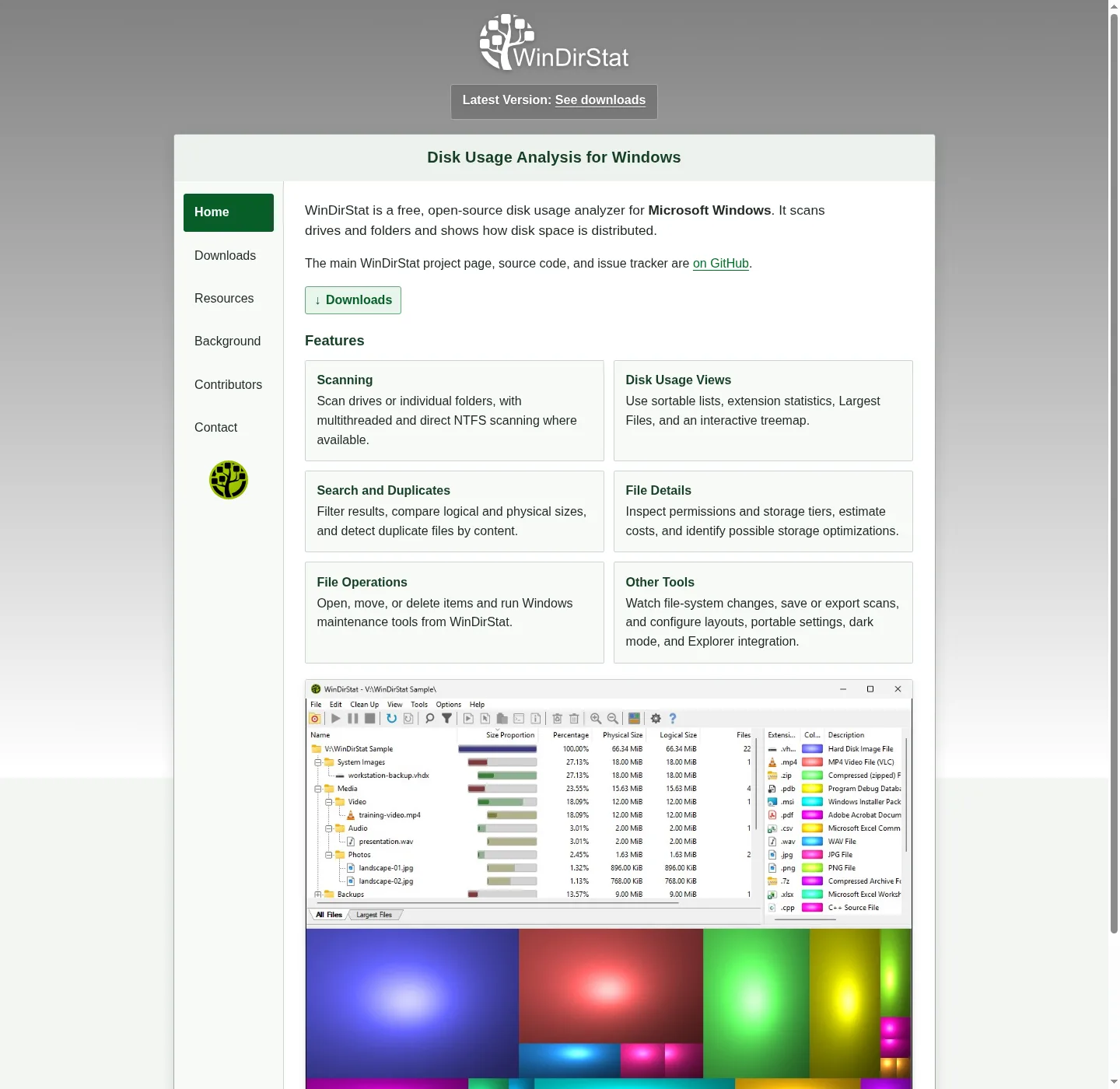
They start from different views. JAM Software describes TreeSize as an Explorer-like folder tree with sizes, plus a treemap chart in the free edition. WinDirStat shows the folder tree, a list of file types and a treemap side by side, and the treemap is its signature: every file is a rectangle sized by disk use and colored by type, so a single 40 GB disk image stands out at a glance. WinDirStat also offers a flame graph and a sunburst, added in version 2.8.0. The disk analyzer views page explains each one.
Which is better for cleaning up a drive?
WinDirStat goes further on the cleanup side. Its Clean Up menu deletes to the Recycle Bin or permanently, moves files, applies NTFS compression, removes empty folders and opens Windows Disk Cleanup, Storage Settings and DISM component-store cleanup, and you can add your own cleanup commands. Its duplicate finder groups identical files by size and content hash and can replace copies with hard links. In TreeSize those duplicate and bulk actions sit in the paid editions. See clean up from a WinDirStat scan for the safe order.
Can I use both WinDirStat and TreeSize?
Yes. They are separate programs with separate settings and do not interfere; each only reads the drive until you tell it to delete something. Many people keep TreeSize Free for its PDF report and WinDirStat for the treemap and duplicates. If you only want one tool on a work PC, the licensing makes WinDirStat the simpler choice. Checked against WinDirStat 2.9.0.
| WinDirStat | TreeSize Free | |
|---|---|---|
| Maker | WinDirStat team, open source | JAM Software |
| License and cost | GPL-2.0, free for any use | Free for private, non-commercial use |
| Treemap | Yes, plus flame graph and sunburst | Yes, treemap chart |
| Largest files list | Yes, Largest Files tab | In paid Personal edition and up |
| Duplicate files | Yes, by size and content hash | In paid Personal edition and up |
| Reports | CSV or JSON export | PDF reports |
| Cleanup tools | Delete, move, compress, Disk Cleanup and DISM shortcuts | Not listed for the Free edition |
| Install | winget, MSI, portable zip, Microsoft Store | Installer from jam-software.com |
WinDirStat from its README and source at the checked tag; TreeSize editions from JAM Software's TreeSize Free page, read 2026-09-27.
Frequently asked questions
Can I use TreeSize Free at work?
JAM Software lists TreeSize Free for private use in a non-commercial environment. For company PCs it sells the Personal and Professional editions. WinDirStat's GPL-2.0 license has no such limit, so it can be used on work computers without a purchase.
Does WinDirStat make PDF reports like TreeSize?
No. WinDirStat saves scan results, duplicate lists and permission lists as CSV or JSON from the File menu, which you can open in Excel and print or turn into a PDF there. If a ready-made PDF report is a requirement, TreeSize Free covers it for home use.