Short answer
WinDirStat and WizTree both scan NTFS drives fast by reading the master file table, and both draw a treemap. The difference is the license: WinDirStat is open-source GPL-2.0 and free for any use, while WizTree from Antibody Software is free for personal use only and needs a paid Supporter Code at work. WinDirStat also adds a duplicate finder and a cleanup menu.
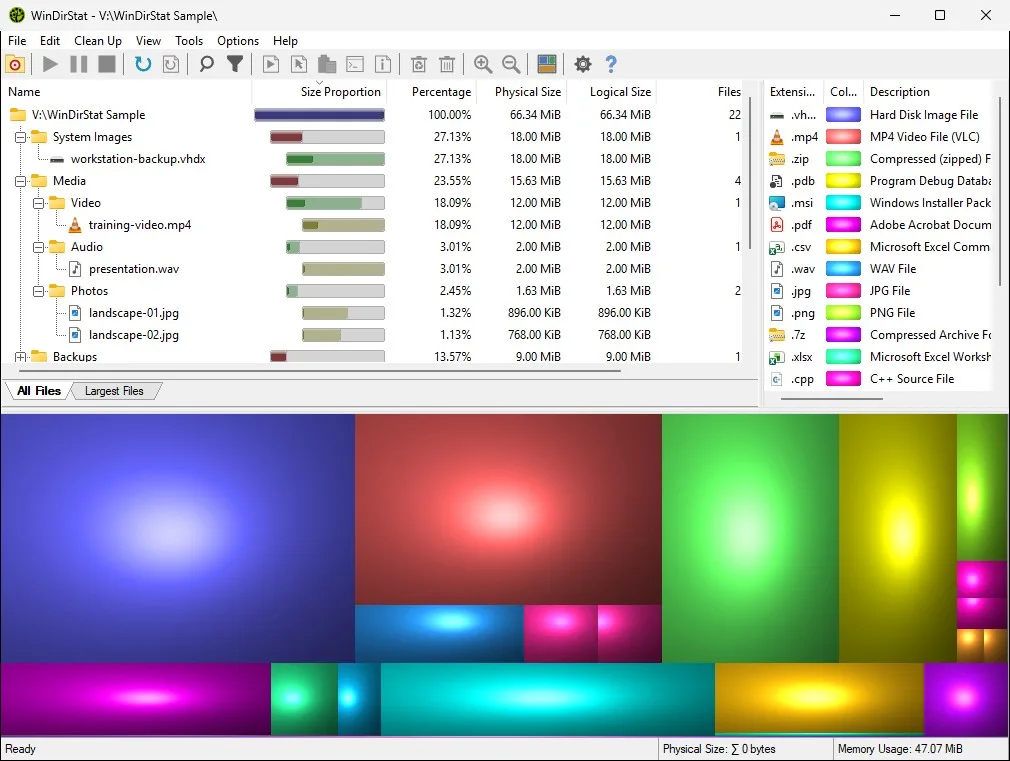
How do I choose between WinDirStat and WizTree?
- Decide where you will use it. At work, WizTree needs a purchased Supporter Code; WinDirStat's GPL-2.0 license covers any use.
- Decide if you need open source. WinDirStat's full source is public on GitHub; WizTree is closed-source freeware.
- List the jobs after the scan. Duplicate detection and Windows cleanup shortcuts are built into WinDirStat.
- Run WinDirStat as administrator. Accelerated MFT scanning in WinDirStat needs elevation; say Yes at the startup prompt for a like-for-like speed test.
- Scan the same drive in both. Compare the time and the view on your own drive before you settle on one.
Why was WizTree known as the faster disk space analyzer?
WizTree built its reputation on reading the NTFS master file table, the index where the file system records every file, instead of opening folders one at a time, and its site still compares itself with WinDirStat on speed. WinDirStat added its own direct MFT scanning in version 2.5.0, and it is on by default as Use accelerated scanning in the Select Drives dialog. The catch is that Windows only lets administrators read the table, so WinDirStat asks to run elevated at startup, and without elevation the option shows "inactive - elevation required" and scans the slower way.
How do WinDirStat and WizTree handle hard links?
A hard link is a second name for the same file data, so a naive scanner counts the data twice and reports more used space than Windows does. WizTree says it counts hard-linked files only once. WinDirStat has tracked hard links since version 2.5.0: in a whole-drive scan it collects the extra references under a <Hardlinks> entry, so you can see where they are, and its Advanced setting to scan hardlink information is on by default.
Which is better for a work computer?
WinDirStat, unless your company already owns WizTree licenses. WizTree's free license is for personal use, and its site asks businesses to buy a Supporter Code or an Enterprise license. WinDirStat's GNU GPL version 2 license has no such split, its MSI supports silent deployment, and it is available through winget, Chocolatey and the Microsoft Store for managed PCs. Security teams can also review its source code, which is not possible with closed-source freeware.
Can WinDirStat do anything WizTree cannot?
Its extra strengths are what happens after the scan. WinDirStat finds duplicate files by content hash and can replace copies with hard links, lists the largest files in their own tab, offers a flame graph and a sunburst chart alongside the treemap, and launches Windows cleanup tools such as Disk Cleanup and DISM from its Clean Up menu. It can also save a scan to CSV or JSON and load it again later. For the other common comparisons, see WinDirStat vs TreeSize and WinDirStat vs SpaceSniffer. Checked against WinDirStat 2.9.0.
| WinDirStat | WizTree | |
|---|---|---|
| Maker | WinDirStat team | Antibody Software |
| License | GPL-2.0 open source, free for any use | Free for personal use; Supporter Code for commercial use |
| Fast NTFS scan | Reads the master file table; needs administrator rights | Reads the master file table directly |
| Hard links | Tracked, listed under a Hardlinks entry per drive | Counted once, per the vendor |
| Views | Folder tree, file types, treemap, flame graph, sunburst | File and folder sizes and a treemap |
| Duplicate files | Yes, by size and content hash | Not listed on the product page |
| Cleanup tools | Clean Up menu, Disk Cleanup and DISM shortcuts, custom commands | Not listed on the home page |
| Other platforms | Windows only; related tools exist for other systems | Windows; a separate WizTreeMac for macOS |
WinDirStat from its README and source at the checked tag; WizTree from the WizTree home page, read 2026-09-27.
Frequently asked questions
Is WizTree faster than WinDirStat?
Both read the NTFS master file table on whole-drive scans, which is where the big speed gain comes from. WizTree's site advertises a large speed lead over WinDirStat, but WinDirStat only uses its own MFT reader when it runs as administrator with Use accelerated scanning ticked. Time both on your own drive with WinDirStat elevated.
Can I use WizTree for free at work?
WizTree's site says it is free for personal use and asks commercial users to buy a Supporter Code, with an Enterprise license for large organizations. WinDirStat's GPL-2.0 license allows use at work with no purchase.